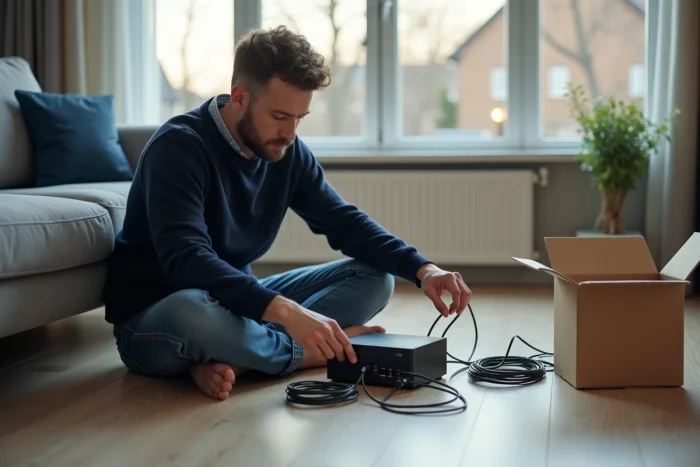
The rule leaves little room for imagination: at Orange as at Free, the general conditions lock the box to the address provided at subscription. Behind this lock, precise technical requirements, and a contract that does not tolerate approximation. Yet, the desire to regain Internet access in a pied-à-terre or vacation home drives some to test the limits of the system.
Accessing the web away from home is not improvised. While some solutions exist, they often require additional steps or even extra equipment. Operators and regulations set a precise framework: the digital adventure outside the primary residence should not be attempted with hands in pockets.
Can you really use your Orange or Free box outside your primary residence?
Trying to connect an Orange or Free box remotely quickly hits a wall. With all providers, the box is designed only for the address indicated at subscription. The fiber internet connection or ADSL is linked to a well-identified physical line. Even if the new residence is covered by the same operator, unplugging a modem and plugging it in elsewhere will not magically trigger network access. The provider’s equipment knows if it is connected to the correct address, and any deviation often results in a complete service interruption.
The principle of box mobility is absent from the operators’ contracts. It is impossible to move a freebox or a fiber orange box to a second home hoping to surf as if at home: the service will often be blocked or unstable. The wifi generated from the box remains exclusive to the original residence, and the modem connection faces the physical limits of the local network.
On the regulatory side, the portability of a box is not provided for. Wanting to access the web elsewhere with the home device clashes with both the technical structure of the fiber network and the strict policies of the operators. Each address must officially have a dedicated subscription, with its own installation and specific activation. The result: in practice, it is impossible to move your box to enjoy Internet access in a second residence without opening a new line.
However, to regain Internet access outside the home, other paths exist: mobile network, nomadic wifi or specific equipment, all adapted to mobility and designed to accompany travel.
Overview of solutions for accessing the Internet remotely: moved box, connection sharing, 4G/5G and alternatives
Since moving your own internet box has no effect elsewhere, one must explore concrete alternatives to maintain reliable access during travel.
Take the example of connection sharing: on a smartphone or tablet, you activate the hotspot function, allowing other devices to connect via wifi or cable. The effectiveness depends on the chosen mobile plan and the speed of the 4G or 5G network. Essential for occasional use or moderate needs; however, intensive use (streaming, heavy remote work, online gaming) often reveals its own limits, especially regarding available data.
Other solutions also exist: wifi keys or airboxes allow for mobile internet connection by simply inserting a dedicated SIM card. Once activated, it broadcasts a private wifi for your devices. However, it remains imperative to watch the data cap included in the plan or any usage restrictions, at the risk of seeing the speed significantly reduced during the month.
Finally, it is possible to take advantage of public hotspots in places like train stations, hotels, or libraries. As for the wired connection via fiber optic, it requires a fixed installation, thus unsuitable for mobility. Before choosing, it is better to estimate your actual needs: occasional or intensive use, nature of online activities, number of devices to connect. For complex uses, a discussion with the provider’s customer service can be useful to check network coverage at your location.

Practical tips and limits to know for enjoying Internet access in a second residence or elsewhere
Leaving your primary residence without sacrificing internet connection has become almost essential. Whether to read your messages or start a print job remotely, it is better to anticipate a few key points.
Check the stability of the local network
Before betting on remote access, you need to assess several fundamental points:
- The performance of the mobile network varies by location. Quickly testing 4G or 5G with your smartphone gives a reliable overview of the actual speed on-site.
- Connecting to a public wifi helps in emergencies but always exposes you to data security threats. A VPN remains the safest defense during sensitive operations.
Dismantling your classic internet box to use it elsewhere is never a solution: modems are tied to the installation address, whether it is fiber optic or telephone network. The operator locks this operating perimeter, without exception.
Optimize your mobile usage
To send messages, work remotely, or print, mobile options are the most suitable as soon as you move away from the fiber. Many services offer to manage these tasks easily if internet access remains stable and secure.
Before a long stay elsewhere, listing your digital uses (data volume, specific needs, equipment compatibility) helps avoid unexpected interruptions and ensures a smooth connection, even outside the usual cocoon.
On the road or in a second home, managing to stay connected rarely happens by chance. Good preparation paves the way: sometimes, the only ideal connection is the one you took the time to secure before leaving.